How To Use Voice Chat in Pokémon Unite

Voice chat is a very helpful tool in most MOBA style games, such as Pokémon Unite. You’ll want to be able to communicate and talk to others to cooperate and plan your next moves, making it easier for your team to win. Here’s how you can enable voice chat in Pokémon Unite.

Step by step

  1. Connect wired or wireless headset to your Nintendo Switch
  2. Join/start a Unite Battle
  3. While in battle, press the ‘+’ plus button to open the menu
  4. Press the ‘-‘ minus button to open settings
  5. Scroll down to “Voice Chat Settings”
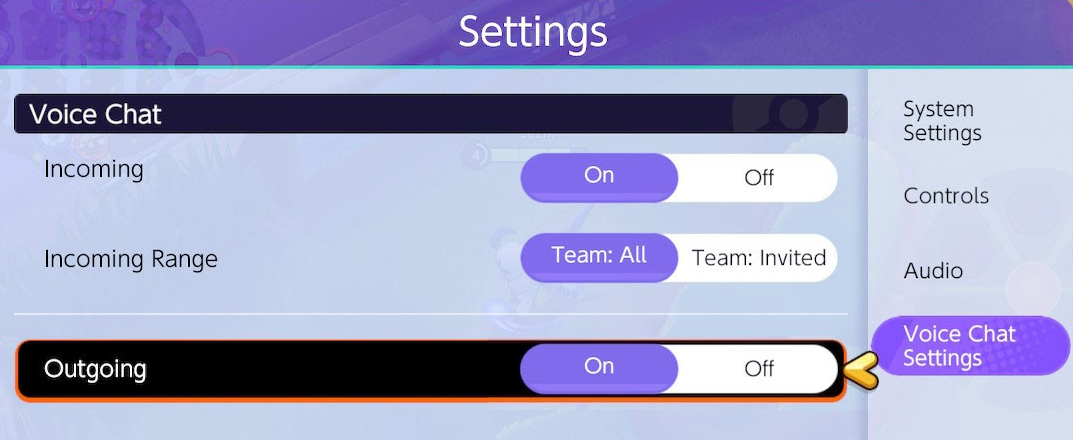
  6. Turn on Incoming if you want to hear others
  7. Turn on Outgoing if you want to speak to others
Incoming vs Outgoing

In the voice chat settings there are multiple options that you can select. Incoming, Incoming Range, and Outgoing. When you turn on Incoming, this will allow you to hear other players speak if they have voice chat enabled. When the Outgoing setting is switched to On, you will be able to speak to your team and they will hear you. The Incoming Range setting lets you specify who you want to communicate with. If you just want to talk with your friends that you invited, select “Team: Invited”. Otherwise, if you have “Team: All” selected, everyone on your team that also has voice chat enabled will be able to communicate with you.

A New Pokémon Has Been Teased and Theories Are Already Brewing

A tweet came the official @Pokemon Twitter account today “Calling all Trainers!”. It states a discovery has been made in the Hisui region. This region is for the upcoming game, Pokémon Legends: Arceus. Below the tweet is a video that contains mysterious footage of someone traveling in the snow and documenting their travels by recording with some video device. It looks like something out of a horror movie, which is just in time for Halloween. The person in the video runs into an “adorable” and “fluffy” looking Pokémon but soon after we hear loud noises and we can only assume they were attacked by this Pokémon as they approached it. It’s not the first time a cute looking Pokémon has more strength than expected.

https://platform.twitter.com/widgets.js

What Is The New Pokémon?

Fans all over the internet are theorizing what this Pokémon might be. Is it a Hisui version of a Pokémon we recognize? Or is it a completely new Pokémon we’ve never seen before? What we’re sure of is this; In the footage captured, the person describes the following:

  • There’s a mysterious air
  • Not a Growlithe
  • Not a Vulpix
  • Tip of it’s tail is red and swaying
  • It’s Adorable
  • Fluffy, white fur on top of it’s head and around it’s neck
  • Round and yellow eyes

Several replies mentioned that Snorunt can be seen in a frame of the video and the subtitles have the word “runt” in it but the Pokémon they’re describing doesn’t sound like a Snorunt at all. If the Pokémon they were attacked by isn’t a Snorunt, we’ll surely be seeing more of it in this region. Others mentioned the features loosely match Rock Ruff, Flareon, Fennekin, Flaafy, and several others. One of the most liked replies below the tweet is this image of a fan drawing of a Hisuian Zorua, drawn by @DerDennis218. It may be a Zorua, as it matches the description pretty well, but even if it’s not, it’s cool to see the community working together to create artwork and theories on what this new Pokémon will look like. Comment below what you think the new Pokémon will be!

https://platform.twitter.com/widgets.js

How Are Pokemon Cards Made & Printed?

How Are Pokemon Cards Made?

There is not a lot of footage or information about the specific process of creating and manufacturing Pokémon cards. This is most likely due to The Pokémon Company and the printing factories wanting to keep unreleased Pokémon cards away from the public eye and so they don’t give away their secrets. What you’ll find in this article is mostly speculation and research of my own. The information I’ve been able to confirm is just what you see in videos that are linked below and past knowledge.

How They’re Made (Most Likely)

How are Pokemon cards made? First multiple layers of paper are glued and compressed together to make a giant sheet of high quality cardboard. They then put multiple layers of different color ink to print out the art of each card on the sheet. This is most likely done with CMYK color combinations, meaning they use a combination of Cyan, Magenta, Yellow, and Black to make all the colors they need for the art. If there are holographic cards on the sheet, they’ll also add texturing and holographic on top of the art. After the printing is finished they cut the sheet into several cards. From here it’s unclear how they organize them into different packaging. It seems like it would be pretty random so you don’t know what cards are in each pack but they still organize them into categories such as common, uncommon, and rare cards before packaging them further. Here you can see a video that features snippets of the manufacturing process.

Uncut Sheets of Pokemon Cards

Sometimes these uncut sheets of Pokémon cards leave the factory. How they get out into the world, no one knows. But what we do know is what they look like and how cool they are. Here’s a clip of a Pokémon YouTuber, Ando (AKA UnlistedLeaf) receiving an uncut sheet of cards from a $5000+ mystery box.

Pokémon Unite is Getting a Halloween Update & Event!

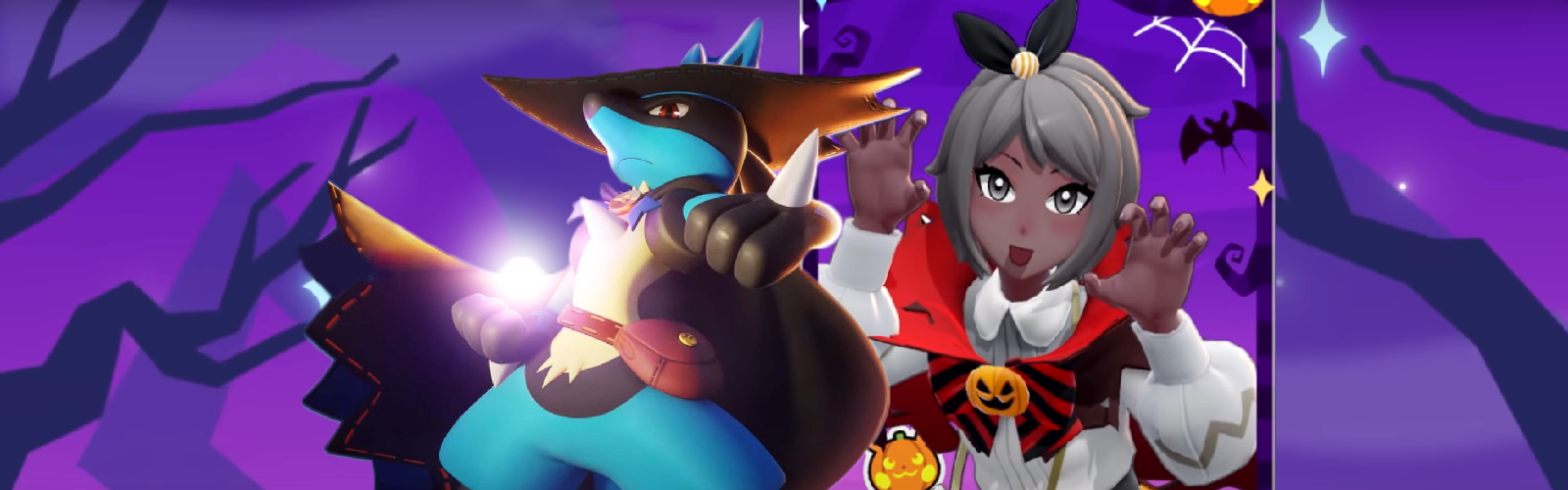
Pokémon Unite announced there will be an in-game Halloween event and update with a bunch of new Halloween themed addons. They call it the Halloween Festival. This will add Pokémon, holowear, custom trainer items, and Halloween themed gameplay. This event will begin October 20th, 2021 and last until November 7th, 2021.

New Playable Pokémon

They announced in the video that Greedent will be joining Pokémon Unite and will become playable during this event. We don’t see many of Greedent’s abilities in this trailer so we’ll have to wait and see what type of combat style Greedent will offer. Although, we can see them eating berries and throwing nuts at other Pokémon, which is fitting considering it looks like a squirrel.

New Halloween Holowear

In the video showing off the new update, it says “New treats for you and your Pokémon”. This means there will be customization added, not only your your trainer character, but your Pokémon as well. They show 3 different new holowear that will be added to the game and several spooky looking items for your trainer avatar and profile. So far we know Lucario, Charizard, Slowbro, Blastoise, Eldagoss, and Wigglytuff will all get new holowear. Some look like they have knitted hats and sweaters for the cold season, while others look like they’re dressed up, ready to go trick or treating.

New Halloween Themed Gameplay

In the video showcasing the upcoming update, we can also see that everything around the arenas and maps are decorated for Halloween. There are pumpkins, lights, witch’s hats everywhere. Not only are the maps decorated, but the Pokémon’s attacks look festive as well. It seems like there’s also a way to turn your opponent into a pumpkin, essentially stunning them and leaving them shortly defenseless.

Where To Pre-order Pokémon Legends: Arceus Physical & Digital copies

Pokemon Legends: Arceus is the newest Pokemon game coming out in early 2022. This game has been hyped by the community for a while because the gameplay will be something we’ve never seen before. Its been compared to a lot of different games and none of those being another Pokémon game. Its mostly compared to The Legend of Zelda: Breath of the Wild, which is nothing like previous Pokémon games we’ve played. It’s a semi-open world adventure game where you discover an unexplored area of the Sinnoh Region and catch Pokémon by throwing your Pokeball in a third person view.

Where to Buy a Physical Copy

The best place to pre-order a physical copy of Pokemon Legends: Arceus is Amazon. It’s convenient as the physical game will be shipped to you upon release and you don’t have to go to a store to pick it up.

Where to Buy a Digital Copy

The best place to buy a digital copy of Pokemon Legends is also Amazon. Mant other stores don’t offer a digital purchase option. When you buy this, you wont have to wait for the game to be shipped to play it. Upon release you’ll receive a digital code that you’ll be able to claim on your Nintendo Switch.

How People Are Getting Free Pokémon Card Packs

How to Get Free Packs

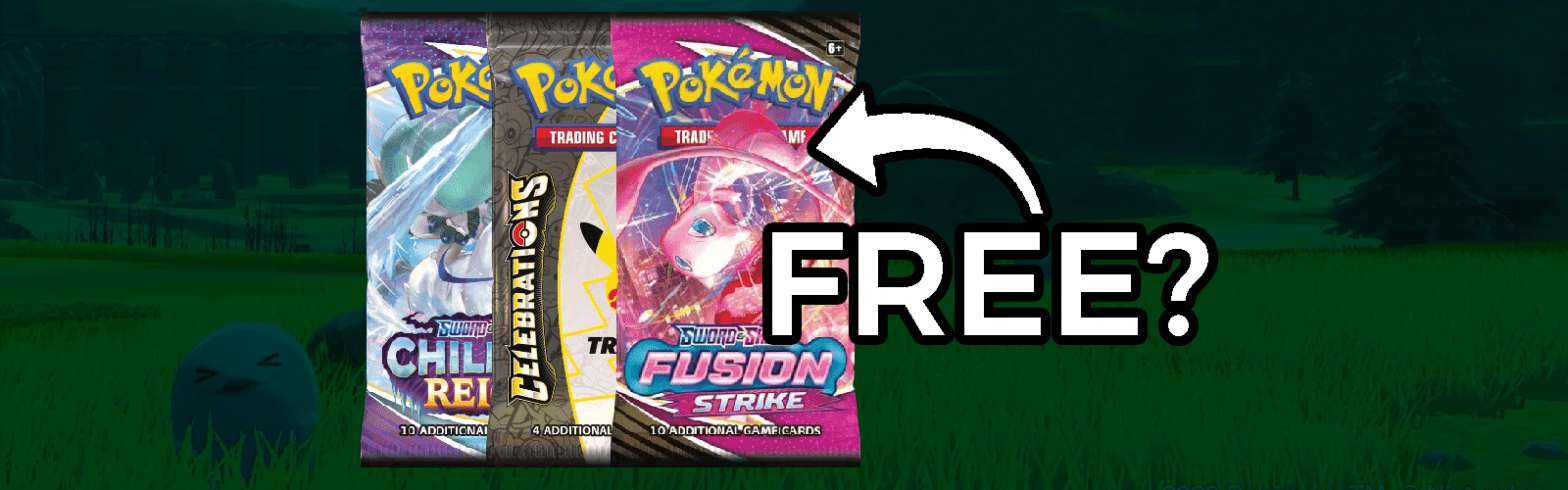
With Celebrations just releasing and Fusion Strike coming out soon, a lot of people are buying Pokémon cards lately. It’s been a huge conversation on Twitter lately where the best place to buy Pokémon cards is. Many people are saying GameStop is the best place mostly because of their rewards program. Their PowerUp Rewards Pro membership gives you points that you can spend to buy new packs of Pokémon cards and the points are actually easy to earn! When you subscribe you get 10,000 points ($10) instantly and an extra 5,000 points ($5) for every month you’re subscribed. That’s more than 1 free pack per month. The best part is you’re getting all of those free packs for only the price of $14.99 a YEAR. So if you’re someone who not only buys Pokémon cards a lot, but you see yourself buying packs a year from now, this program is perfect for you.

Early Access to New Pokémon Cards

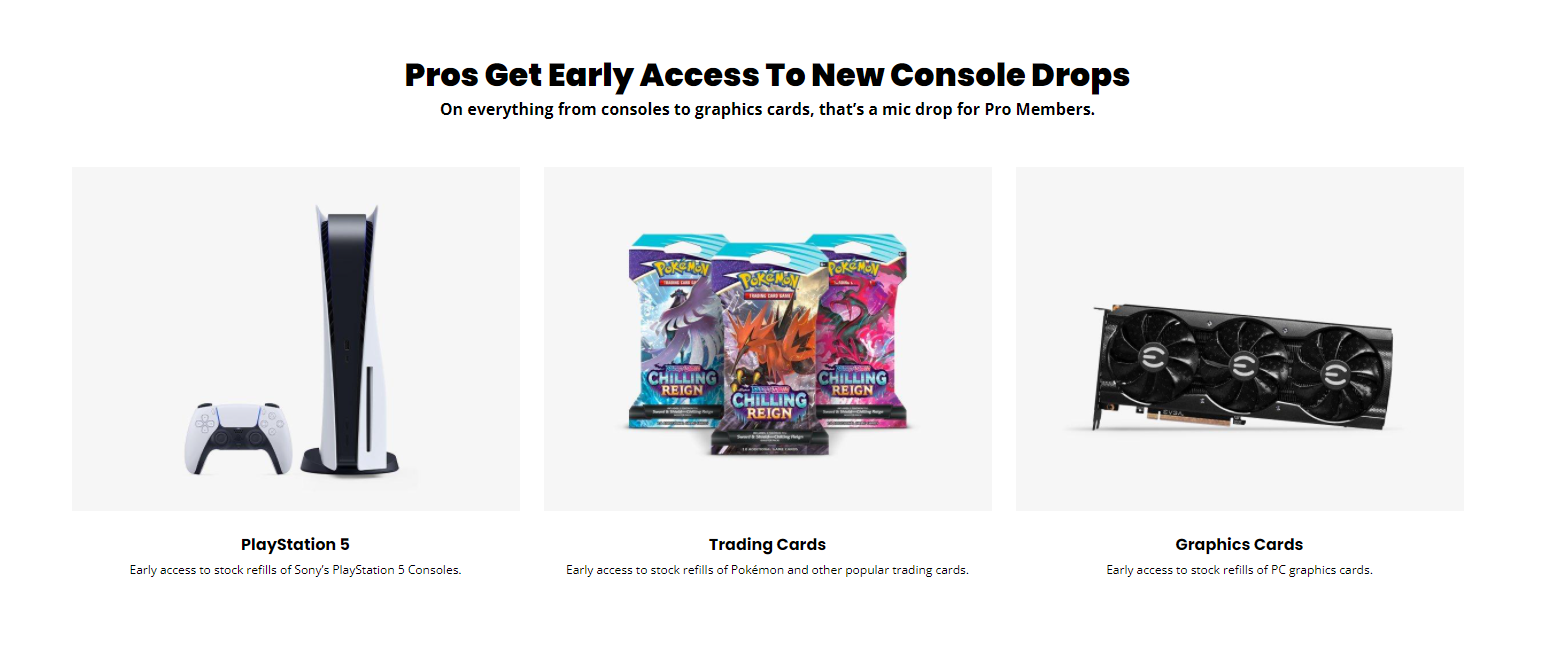
Not only do you get reward points that you can spend on Pokémon cards, but many people have noticed this graphic on their page that promotes PowerUp Rewards. It states that the subscribers of this program get early access to new drops and that includes Pokémon cards! This means if you’re a Pro member you have a better chance at ordering new Pokémon cards when their stock refills. This is really helpful for people that want a chance to buy cards before they’re out of stock, which happens a lot nowadays. There are of course other perks you get for being a Pro member, but we just want to focus on the Pokémon related ones here. If you’d like, you can check out more information about PowerUp Rewards and if you use our link, we’ll earn a commission and you’ll be helping the PokePatch website stay up. Thank you!

Pokémon Makes Statement About Card Availability & Scaplers

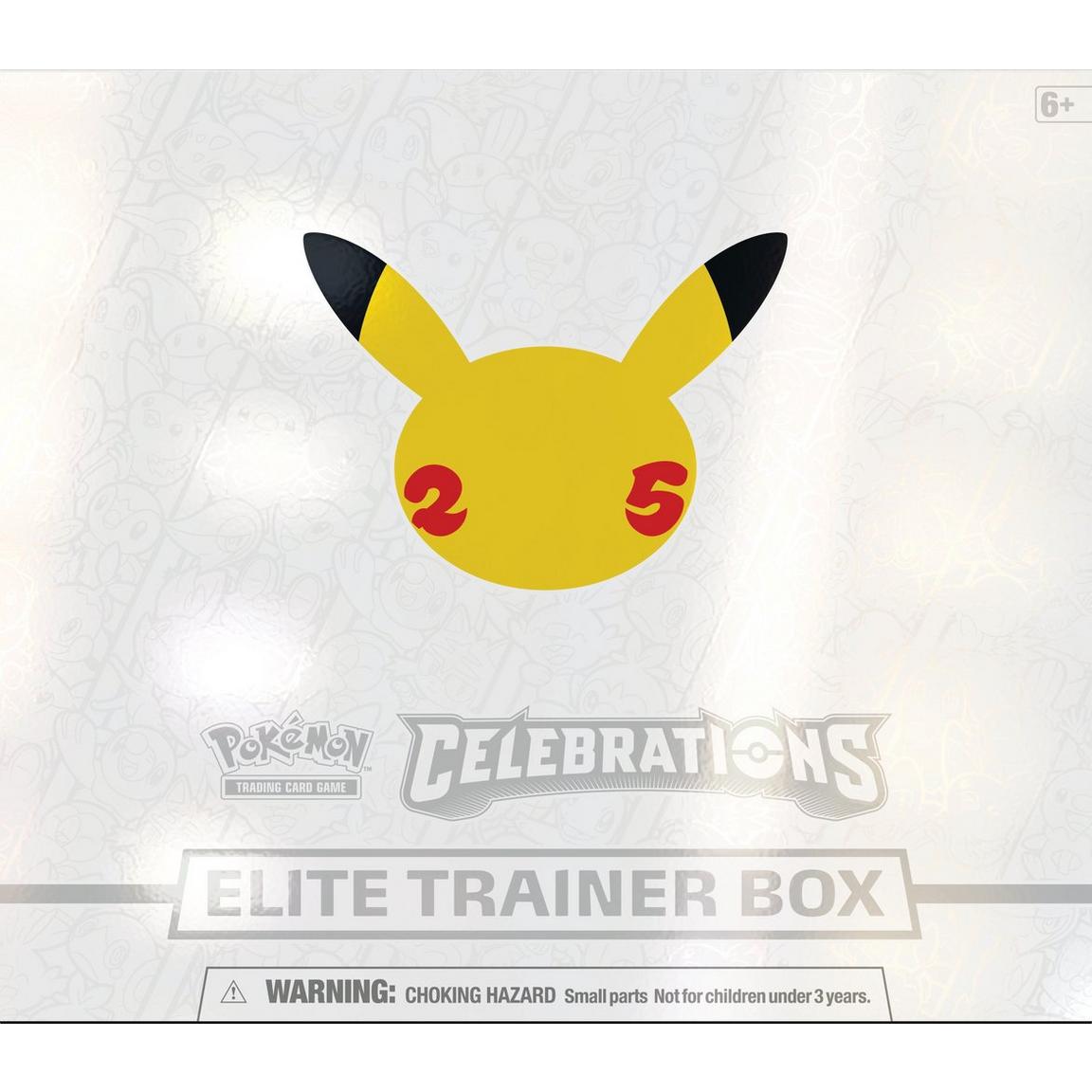
An official statement from the Pokemon Support team came out yesterday regarding people having issues with buying Pokémon TCG products. Many of us have had trouble getting our hands on some TCG sets because every store we go to, everything is sold out and out of stock. In the update they state “we are actively working to print more of the impacted Pokémon TCG products as quickly as possible”. This means we will see more reprints of recent sets, most likely more Celebrations than anything else because of how much The Pokémon Company has been promoting it recently. The Celebrations set is bigger than any set we’ve been in years so everyone is buying it up but we’ve also seen that this set has been printed more than previous sets. The fact that even after printing more cards than usual, stores are still selling out of these packs, shows how much people want this product. It seems like The Pokémon Company has no problem making that more available, as they’ll make more money and make collectors a lot happier.

If you’re still looking for product availability for Celebrations or Fusion Strike packs, don’t buy from scalpers and be patient. You’ll have your chance to buy more packs as soon as possible. If you’d like to get updates on stock availability, check out our article on how to find stores that aren’t sold out.

How to Create, Join, & Invite People to Squads in Pokémon Unite

What are Unite Squads?

In the recent Pokémon Unite update, squads were added along with the mobile release and Season 2 battle pass. A squads is a team of up to 30 players. You can invite your friends or other players to your squad or join someone else’s squad. This feature is for people the want to play more cooperatively with a team instead of solo queuing or playing by themselves. This will allow for more team communication in and outside of a match.

How to Create a Squad in Pokémon Unite

In the menu, select Unite Squad. From here you’ll select the option on the left that says “Create Unite Squad”. From here, you’ll be able to create a custom name and description for your personal squad, add tags, and change join restrictions. Tags describe what kind of players you’re looking for to join your squad. Lastly, you’ll press save and this will create your new squad! You can now invite people and play with your squad.

Step by step guide:

  1. Open trainer menu
  2. Select Unite Squad
  3. Select Create Unite Squad
  4. Add custom options
  5. Press save

How to Join a Squad in Pokémon Unite

To join a squad is similar to creating one. You’ll need to navigate to the trainer menu, select Unite Squad. For joining an existing squad, you’ll press “Join Unite Squad” on the right of the screen. A search menu will pop up and you can type in a squad name, ID, or tags to search for a squad to join.

Step by step guide:

  1. Open trainer menu
  2. Select Unite Squad
  3. Select Join Unite Squad
  4. Search Squad ID
  5. Request to join

How to Invite someone to a Squad in Pokémon Unite

To invite your friends or another player to your squad you can give them your squad name or squad ID. Squad name is more simple, but the squad ID is more reliable because it’s a unique ID so they don’t accidentally join the wrong squad.

Weird Celebrations Errors & Misprints from the New Pokémon TCG Set

Celebrations just released this week and there have been amazing pulls left and right leaving everyone satisfied and showing off their new cards. Some of these cards people are showing off online have looked strange though. These are usually due to manufacturing errors and misprints. Since it’s only been a few days since the official release, we haven’t been able to see all of misprints out there. Every time a new set drops, there are several errors that get discovered way after the set was released.

Holographic Line

A user on Reddit posted a picture of a Zekrom holo card with a horizontal holographic stripe in the middle of the art. The line looks very straight and it doesn’t just look like some random scratch. This hasn’t been seen before and many comments are suggesting that this isn’t a misprint, and that it’s just a damaged card. Regardless, it looks pretty cool and many are wondering how it happened and if we’ll see more of these errors in cards. It’s a little too early to know if this misprint is one of a kind or if we’ll see more like this coming out of Celebrations packs.

Upside Down Pikachu

Another error many people have noticed is upside down packaging. A recent tweet and YouTube video from LeonHart showed him opening a Pikachu V-Union box, except it wasn’t the normal V-Union box you see. All of the cards and packs are upside-down. Not only that but one of the Pikachu V-Union cards are a duplicate! This leaves LeonHart with only 3 of the 4 V-Union cards and an extra duplicate of one. This has been seen in multiple V-Union boxes this week so be on the look out when purchasing these.

Holo Bleed

A more common error that has been found in many Celebrations cards is holo bleeding. This is when the holographic sparkles aren’t only on the art but the entire card. This isn’t normally supposed to happen but has been found on several Celebrations cards. These cards are pretty valuable to error card collectors but are better ungraded. Grading a holo bleed card will most likely give you a lower grade than normal and devalue the card.


If you’re looking to buy some Celebrations packs, look no further! Gamestop will provide you with the retail MSRP price on Pokémon packs and boxes, so you don’t have to buy them overpriced from some scalper. Not only do you get them for the actual price, but if you use our link below, we’ll earn a commission and you’ll be helping the PokePatch website stay up. Thank you!

How to Change Your Trainer Name in Pokemon Unite

How To Change Trainer Name in Pokemon Unite

Your Pokemon Unite trainer name is not your username, but your screen name. It’s the name everyone sees before, during, and after a match. It’s also a way other players can identify who you are when they’re adding you to their friends list. The only way to change your screen name in Pokémon Unite is to buy a Rename Card in the Aoes Emporium. This item costs 100 Aoes gems, so you’ll have to buy Aoes Gems before you buy the Rename Card, unless you already have enough.

Step by step guide

Here’s a step by step guide on how to change your name on Pokemon Unite:

  1. Open the Aeos Emporium
  2. Buy Rename Card in Items tab
  3. Go to Item Box in menu
  4. Go to Consumable Items
  5. Use the Rename Card

Are Trainer Names Unique?

You can not change your Pokemon Unite trainer name to something that is already taken. Your trainer name in Pokémon Unite is unique. Usually this would defeat the purpose of an ID after the screen name but the trainer ID is still used to add friends. Note that changing your trainer name will not change your trainer ID.